


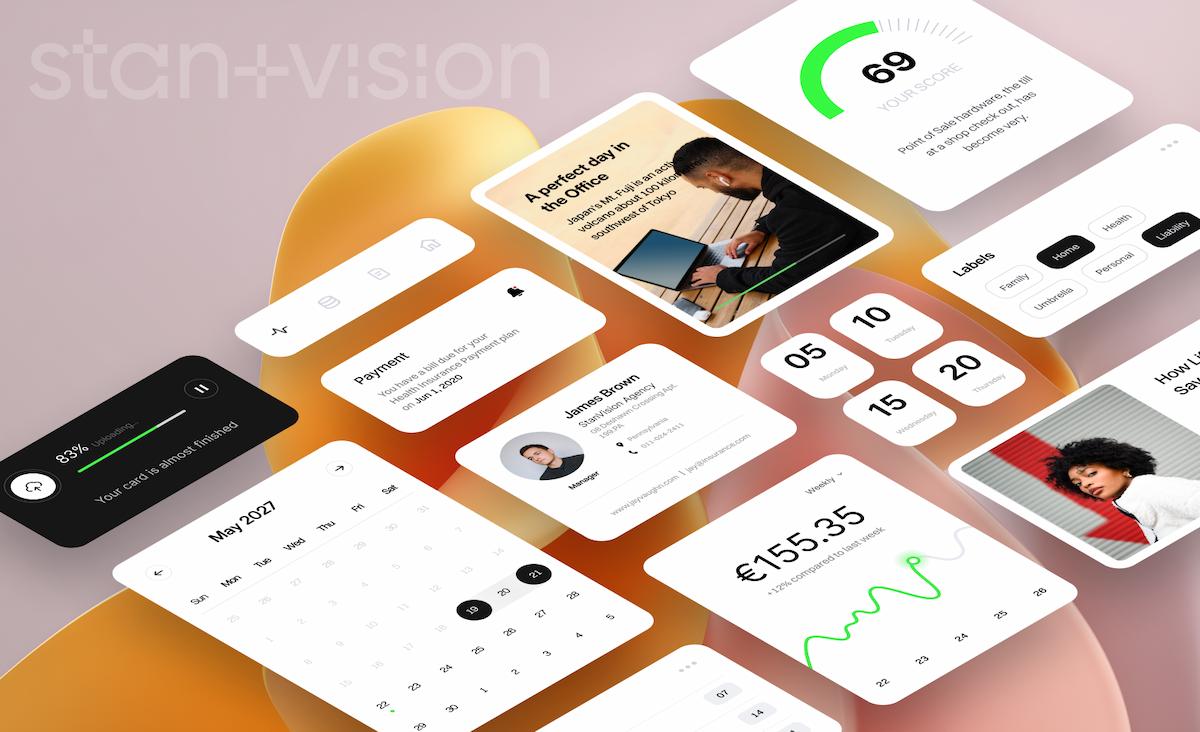
Card-based layouts have become a cornerstone of modern web design, offering a flexible, user-friendly way to present content visually. Designers and developers are increasingly relying on creative card UI patterns to deliver information efficiently while creating dynamic, engaging experiences. Whether you are new to this approach or looking to elevate your site, understanding web card design trends and innovations can help you craft superior user interfaces. The structured yet versatile nature of cards helps websites organize diverse types of content, from images to articles, product listings, and interactive widgets. Not only do cards improve navigation and scannability, but they also make the design modular, which is especially beneficial for maintaining complex sites or apps. The evolution of card UI patterns continues to drive engagement, as users find it easier to browse, interact with, and enjoy content when it is well-organized and visually separated.
In the shifting digital landscape, implementing modern card layouts is more than just a trend; it is a proven method to enhance usability, responsiveness, and accessibility. Leading websites from social platforms to e-commerce giants have embraced cards for their ability to showcase information and keep visitors engaged efficiently. As user expectations for intuitive and attractive interfaces grow, mastering card-based design is crucial for any web professional. This article explores the benefits and best practices of card layouts, as well as innovative patterns that can elevate your web design projects. It also highlights real-world examples to inspire your next user interface build.
Introduction to Card UI Patterns
Card UI patterns center on rectangular or square containers for displaying discrete pieces of content. Each card serves as a distinct unit, containing images, text, buttons, and interactive elements. The geometric, organized approach makes cards an ideal pattern for both web and mobile design, where clarity and usability are paramount. Since the debut of content-heavy digital platforms, cards have moved beyond simple visual devices to become functional, interactive parts of the interface. As a result, they play a major role in creating engaging layouts that balance aesthetics and user needs.
Benefits of Using Card Layouts
- Modularity: Each card acts as an independent module. Developers can easily rearrange, remove, or update these units without impacting the entire layout, making content management more efficient.
- Responsiveness: Card layouts automatically adapt to different screen sizes and orientations. Whether users access your site from a desktop, tablet, or smartphone, the visual coherence of card-based interfaces remains intact.
- Scannability: By presenting information in separate sections, cards prevent visual overload and help visitors quickly scan and find what they are looking for. This is especially effective in feed-based apps, portfolios, and dashboards.
Innovative Card Design Patterns
Standing out in today’s visually saturated web requires thinking beyond basic cards. The following innovative patterns can make your content presentation unique:
- Interactive Cards: Layering hover effects, subtle animations, or reveals allows additional content or options to appear only when users interact. This keeps the card layout clean while offering depth for engaged users.
- Asymmetrical Layouts: Varying the size or orientation of cards, rather than sticking to a rigid grid, introduces movement and creativity into the interface. Asymmetrical layouts prevent monotony and guide the user’s attention.
- Dynamic Content Cards: Leveraging cards that update in real time, such as for live social feeds, news tickers, or activity trackers, creates a sense of immediacy and utility for users who rely on up-to-date information.
Experimenting with these adaptive card designs can result in higher interaction rates and more memorable browsing experiences.
Best Practices for Card UI Design
A well-executed card UI combines beauty with usability. Adhere to these best practices for optimal results:
- Consistency: Standardize elements like card dimensions, spacing, and fonts throughout the design. Consistency builds trust and makes the interface predictable for users.
- Accessibility: Ensure all users can interact with your cards by enabling keyboard navigation, using descriptive labels, and maintaining strong color contrasts. Accessible card UIs make your platform welcoming to a larger audience.
- Performance: Optimize images, minimize unnecessary code, and avoid loading too many resource-heavy elements. Fast-loading card layouts contribute to higher satisfaction and lower bounce rates.
Following these principles will help create visually appealing designs that perform well across devices and user contexts.
Real-World Examples of Effective Card UI
Several leading websites showcase how strategic card design can drive both function and form:
- Pinterest: Uses a masonry-style card grid to display visual inspiration. This approach helps users quickly scan and save ideas in a visually rich format.
- Spotify: Features playlists, albums, and recommendations within distinct cards for straightforward navigation and quick access. The design blends visual cues and interactivity for a seamless experience.
- Airbnb: Displays individual property listings as cards, each offering essential information and eye-catching images. This makes choosing accommodations intuitive and efficient for users.
Conclusion
Innovative card UI patterns are integral to delivering structured, appealing, and highly functional web experiences. By exploring interactive and asymmetrical card layouts, adhering to UX best practices, and learning from top-performing platforms, designers can create interfaces that resonate with today’s users. Embracing these strategies will position your website to stand out in a competitive and fast-evolving digital landscape.